Damn, Zombies/Induction pack
Guides
Everything between “I would like to play” and standing in the car park with a pistol. If something here does not match what you are seeing, say so on Discord.
Setting up beta access
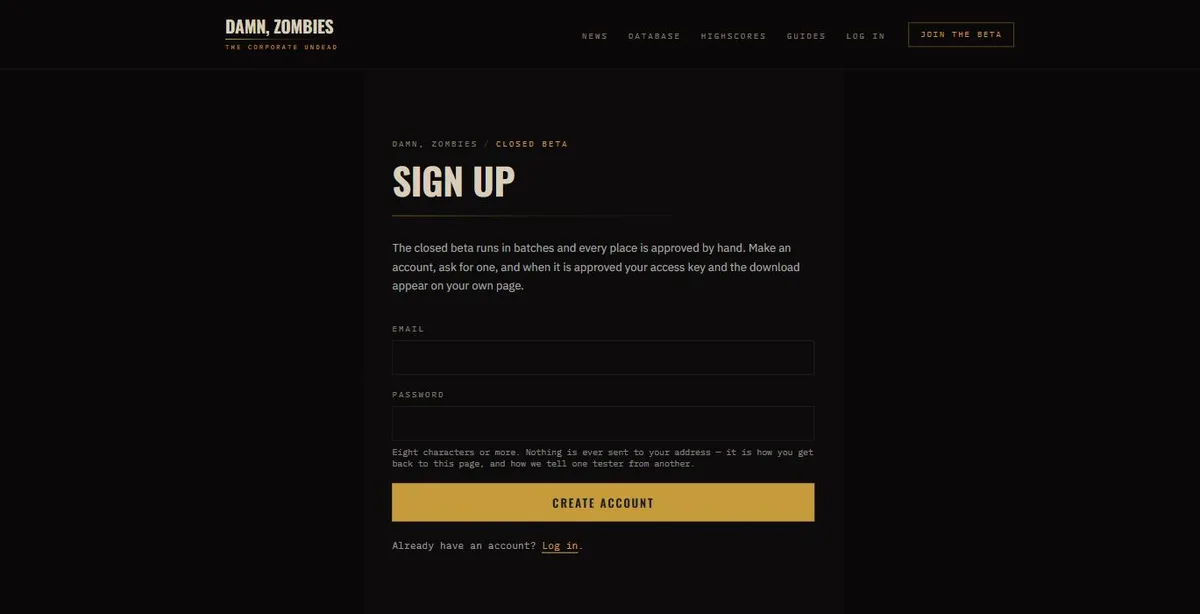
- 01Sign upAn email address and a password, at /signup. Nothing is ever sent to the address — there is no verification mail and no newsletter. It is how you get back to your own page, and how one tester is told from another.
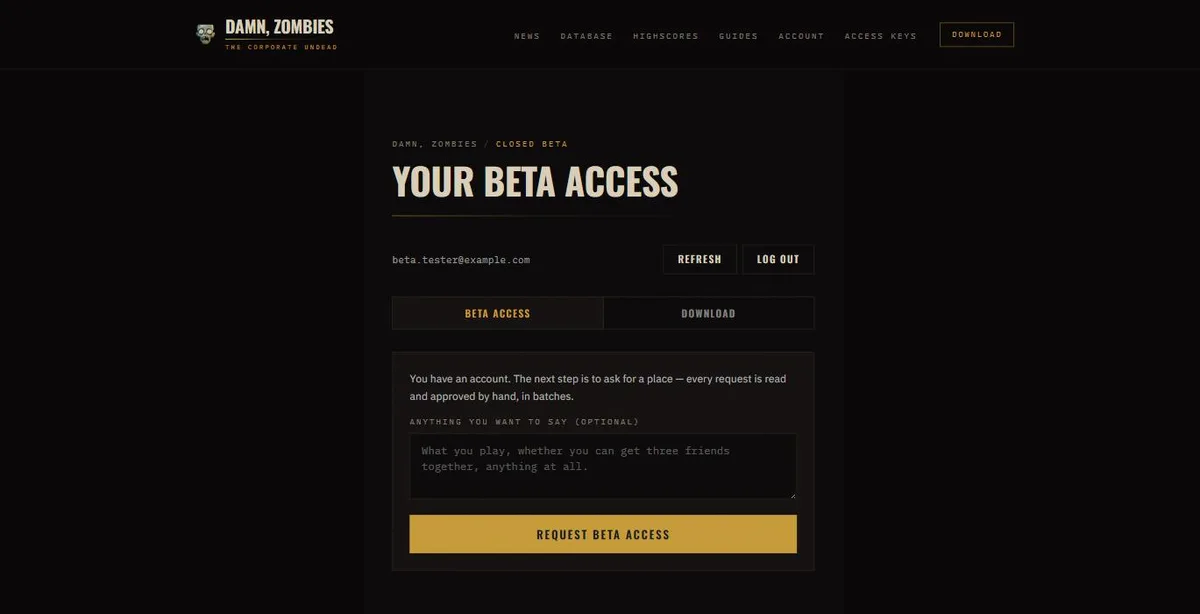
- 02Ask for a placeOn your account page, under Beta access. There is a box for anything you want to say; it is read. Places go out in batches and every one is approved by hand, so this is not instant.
- 03Come back for your keyWhen it is approved, your access key appears on that same page. Nothing emails you, so check back — there is a Refresh button on it, because nothing on that page changes by itself.
- 04Download and playThe Download tab opens once you have a live key. Run the game, paste the key in once when it asks, and that is the last you need to think about it.
The seven days
Your key is good for seven days from the first time you use it — not from the day it is issued. A key handed out on Tuesday and first entered on Friday runs to the following Friday, so there is no hurry to start and nothing is lost by waiting for a weekend.
The game checks in about once a day. It keeps working offline in between, so a train journey is fine; a fortnight with no internet is not.
From signing up to playing
The whole of it, in the order it happens, for somebody who has not done any of it yet.
- 01Make an account. An address and a password; nothing is sent to the address, ever.
- 02On your account page, open Beta access and ask for a place. Say something about yourself if you like — it is read.
- 03Wait. Places go out in batches and each is approved by hand, so this is hours or days rather than seconds. Nothing will email you, so come back and press Refresh.
- 04When it is approved, your access key is on that page: DZ- and four groups of four. It is yours; sharing it is the one thing that gets it withdrawn.
- 05Open the Download tab and take the build for your platform. The link is good for a minute and for you alone, so fetch it rather than saving it.
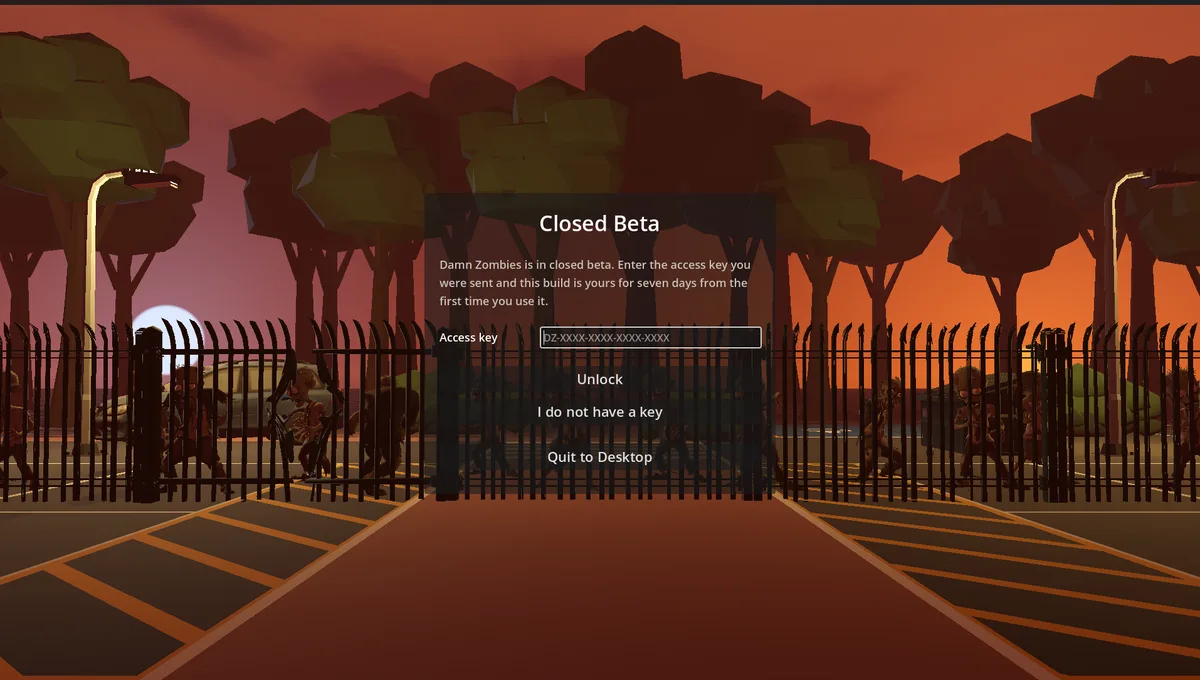
- 06Run the game. It asks for the key once, on the front page, before anything else.
- 07Paste the key and press Unlock. That is the last time you will see that screen — the game remembers it and checks in quietly from then on.
- 08Play. Single Player drops you straight into the compound; Multiplayer hosts or joins a lobby for up to four.
- 09Your seven days start at that first unlock, not at the day the key was issued. The game keeps working offline in between check-ins, so a train is fine.
Installing
One file per platform and no installer. The same build on all three — take whichever you play on.
Windows
DamnZombies-beta-windows.exe
- Run the file you downloaded. There is no installer — it is the game.
- Windows will say it is from an unknown publisher and offer not to run it. That is SmartScreen reacting to a build nobody has paid to code-sign, not to anything it found: click More info, then Run anyway.
- If your antivirus quarantines it, the same applies. An unsigned executable from a small studio looks exactly like an unsigned executable from anybody else.
macOS
DamnZombies-beta-macos.zip
- Unzip it, and move Damn Zombies.app wherever you keep applications.
- Right-click the app and choose Open, then Open again in the dialog. Do not double-click it the first time: macOS refuses an unsigned app opened that way and offers you a Move to Bin button, which is the only button on the box.
- After that first launch it opens normally, like anything else.
Linux
DamnZombies-beta-linux.x86_64
- chmod +x DamnZombies-beta-linux.x86_64, then run it.
- 64-bit x86 only. There is no ARM build, so it will not run on a Raspberry Pi or an Asahi Mac.
- It needs a working Vulkan driver. On a fresh install that usually means the mesa-vulkan-drivers package, or your distribution's name for it.
When something will not work
- It says my key is not one of ours
- Check it for a 0 where an O should be. Keys never contain I, L, O or U, precisely so that this is the only thing it can be — and the game tells a mistyped key apart from a wrong one, so if it says the format is wrong you have a typo rather than a bad key.
- It says the key is in use on another machine
- A key covers a small number of installs. Reinstalled Windows, or changed machine? Say so on Discord and the old one is unlinked in a click — you do not need a new key.
- It asks for the key again
- The game checks in about once a day. If it has been offline longer than that it will ask again; enter the same key. It is not used up.
- My access has run out
- Seven days from first use is the whole of it. Ask on Discord if you want longer — extending a key is one click at this end.
- Multiplayer refuses me but the game runs
- The game and the server check separately. If the game starts and multiplayer will not, your key is probably fine and the build is out of date — grab the current one from the Download tab.
- It will not start at all
- Say so on Discord with your platform and anything on screen. That is what a beta is for, and an unhelpful crash is worth more to us than a polite silence.
Not signed up yet? Ask for a place.